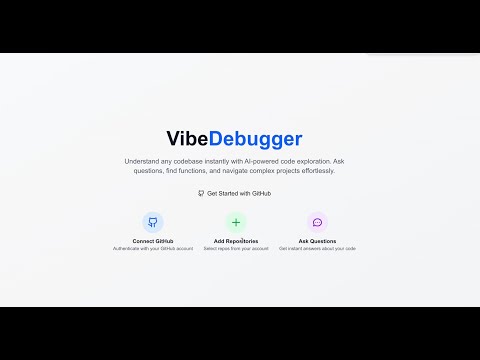
VibeDebugger
Demo Video
About This Project
VibeDebugger 🚀
A powerful AI-powered codebase exploration and debugging tool that helps developers understand, analyze, and interact with their repositories through semantic search and intelligent chat assistance.
✨ Features
🔍 Semantic Code Search
Vector-based similarity search using OpenAI embeddings Find code by meaning, not just keywords Precise file location and line number results Support for 30+ programming languages
🤖 AI-Powered Chat Assistant
Context-aware conversations about your codebase Code explanation and debugging suggestions Architecture insights and refactoring recommendations Integrated with repository knowledge
🎤 Voice Assistant Integration
VAPI-powered voice interactions Hands-free codebase exploration Voice-activated feature introductions Real-time conversation capabilities
📊 Repository Analytics
Comprehensive repository analytics showing commit history, file changes, and contributor data visualization. The dashboard displays detailed insights into code activity patterns, contribution metrics, and repository evolution over time.
AI-generated code detection analysis Commit timeline visualization with contributor insights Repository health and complexity metrics Interactive charts and statistics
🔄 Smart Repository Management
GitHub OAuth integration Automated code indexing with progress tracking Support for both public and private repositories Optimized handling of large repositories (500+ files)
🎨 Modern UI/UX
Clean, responsive dashboard interface Syntax highlighting for code blocks Clickable file paths with GitHub integration Real-time status updates and notifications
🛠️ Tech Stack
Frontend
Next.js 15.5 - React framework with App Router TypeScript - Type-safe development Tailwind CSS 4.0 - Utility-first styling Lucide React - Beautiful icons React Markdown - Rich text rendering
Backend
NextAuth.js 5.0 - Authentication with GitHub OAuth Prisma - Database ORM Neon DB - Serverless PostgreSQL database platform PostgreSQL - Primary database (via Neon DB) Qdrant - Vector database for semantic search
AI & ML
OpenAI GPT-4 - Chat completions and analysis OpenAI text-embedding-ada-002 - Text embeddings VAPI - Voice assistant integration Custom AI Detection - Code analysis algorithms
Infrastructure
Docker - Containerized services GitHub API - Repository data fetching Octokit - GitHub API client
🚀 Quick Start
Prerequisites
Node.js 18+ and npm Neon DB account (serverless PostgreSQL) Docker and Docker Compose (for Qdrant) GitHub OAuth App credentials OpenAI API key VAPI account (optional, for voice features)
Installation
Clone the repository git clone https://github.com/your-username/vibe-debugger.git cd vibe-debugger
Install dependencies npm install
Set up environment variables Create a .env.local file:
NextAuth.js
NEXTAUTH_SECRET=your-secret-key NEXTAUTH_URL=http://localhost:3000
GitHub OAuth
GITHUB_CLIENT_ID=your-github-client-id GITHUB_CLIENT_SECRET=your-github-client-secret
Database (Neon DB Connection String)
DATABASE_URL=postgresql://username:password@ep-example-123.us-east-1.aws.neon.tech/vibe_debugger?sslmode=require
OpenAI
OPENAI_API_KEY=sk-your-openai-api-key
Qdrant Vector Database
QDRANT_URL=http://localhost:6333
VAPI Voice Assistant (optional)
NEXT_PUBLIC_VAPI_PUBLIC_KEY=your-vapi-public-key
-
Start Qdrant with Docker
 Qdrant vector database running successfully on Docker, showing the container status, port mapping, and storage configuration. This setup provides the vector search capabilities essential for semantic code search.
docker run -p 6333:6333 -v $(pwd)/qdrant_storage:/qdrant/storage qdrant/qdrant
Set up the database
Deploy migrations to Neon DB
npx prisma migrate deploy npx prisma generate
Start the development server npm run dev
Open your browser Navigate to http://localhost:3000
📖 Usage Guide
Getting Started
Sign in with GitHub - Authenticate using your GitHub account Add a Repository - Click "Add Repository" and enter a GitHub URL Index the Repository - Wait for the AI to process and index your code Start Exploring - Use chat or search to interact with your codebase
Key Workflows
🔍 Semantic Search "Where is the user authentication logic?" "Find functions that handle file uploads" "Show me error handling patterns"
💬 AI Chat Examples "Explain how this authentication system works" "What are the main security vulnerabilities?" "How can I optimize the database queries?" "Suggest refactoring opportunities"
🎤 Voice Commands "Tell me about this repository" "What are the main features?" "How do I get started with development?"
🏗️ Architecture
System Overview
High-level system architecture showing the interaction between frontend components, backend services, and external APIs. The diagram illustrates how VibeDebugger integrates Next.js, PostgreSQL, Qdrant vector database, and various AI services. ┌─────────────────┐ ┌─────────────────┐ ┌─────────────────┐ │ Next.js App │◄──►│ PostgreSQL │ │ Qdrant │ │ (Frontend) │ │ (Metadata) │ │ (Embeddings) │ └─────────────────┘ └─────────────────┘ └─────────────────┘ │ │ │ ▼ ▼ ▼ ┌─────────────────┐ ┌─────────────────┐ ┌─────────────────┐ │ GitHub API │ │ OpenAI API │ │ VAPI Service │ │ (Repository) │ │ (Embeddings/Chat)│ │ (Voice) │ └─────────────────┘ └─────────────────┘ └─────────────────┘
Data Flow
Detailed sequence diagram showing the complete workflow from repository indexing to AI-powered code search and chat interactions. This diagram demonstrates how user queries are processed through vector embeddings and semantic search to provide intelligent responses.
Repository Ingestion: GitHub API → Code Parsing → Chunking Vector Generation: Code Chunks → OpenAI Embeddings → Qdrant Storage Semantic Search: Query → Embedding → Vector Search → Results AI Chat: Context + Query → GPT-4 → Response + Code References
Key Components
/src/lib/code-indexer-optimized.ts - Smart repository indexing /src/lib/ai-detector.ts - AI-generated code analysis /src/components/chat/ - Chat interface and message handling /src/components/voice-assistant/ - Voice interaction components /src/app/api/ - Backend API routes
🎯 AI Detection Features
VibeDebugger includes advanced AI detection capabilities:
Detection Methods
Perplexity Analysis - Statistical language patterns Syntax Perfection Scoring - Code consistency metrics Comment Quality Assessment - Documentation patterns Structural Analysis - Code organization patterns Pattern Recognition - Common AI-generated signatures
Accuracy Disclaimer
Results are based on 2024 AI detection research and are probabilistic, not definitive. Use as guidance rather than absolute determination.
🔧 Configuration
Environment Variables
Variable Description Required Default
NEXTAUTH_SECRET NextAuth.js encryption key ✅
NEXTAUTH_URL Application base URL ✅
GITHUB_CLIENT_ID GitHub OAuth app ID ✅
GITHUB_CLIENT_SECRET GitHub OAuth app secret ✅
DATABASE_URL Neon DB PostgreSQL connection string ✅
OPENAI_API_KEY OpenAI API key ✅
QDRANT_URL Qdrant vector database URL ✅ http://localhost:6333
NEXT_PUBLIC_VAPI_PUBLIC_KEY VAPI voice service key ❌
GitHub OAuth Setup
Go to GitHub → Settings → Developer settings → OAuth Apps Create a new OAuth App with:
Homepage URL: http://localhost:3000 Authorization callback URL: http://localhost:3000/api/auth/callback/github
Copy the Client ID and Client Secret to your .env.local
OpenAI API Setup
Visit OpenAI Platform Create an API key with access to:
text-embedding-ada-002 model gpt-4 model (or gpt-3.5-turbo as fallback)
Add the API key to your environment variables
Neon DB Setup
Neon DB dashboard showing database statistics, contributor data analytics, and performance metrics. The dashboard provides real-time insights into database usage, query performance, and contributor activity patterns.
Create a Neon DB account Create a new project and database Copy the connection string from your Neon dashboard The connection string format: postgresql://username:password@ep-xxx-xxx.region.aws.neon.tech/database_name?sslmode=require Add the connection string to your .env.local as DATABASE_URL
Neon DB Benefits:
Serverless PostgreSQL with automatic scaling Built-in connection pooling Branch-based development workflows No database maintenance required
📊 Performance & Limits
Repository Size Handling
Small repos (< 100 files): Full indexing Medium repos (100-800 files): Smart filtering Large repos (> 800 files): Priority-based selection (500 files max)
Rate Limiting
GitHub API: 5,000 requests/hour (authenticated) OpenAI API: 3 requests/second for embeddings Batch Processing: 3 files per batch with 1s delays
Storage Requirements
Neon DB: ~1KB per repository metadata (serverless PostgreSQL) Qdrant: ~6KB per code chunk (1536-dimension vectors) Estimated: 50MB vector storage per 10,000 lines of code
🚀 Deployment
Production Environment
Database Setup bash
Deploy migrations to production Neon DB
npx prisma migrate deploy
Production Neon DB Configuration:
Use production branch in Neon console Enable connection pooling for better performance Set up database branching for staging environments Configure automatic backups and point-in-time recovery
Qdrant Deployment
Using Docker in production
docker run -d --name qdrant-prod
-p 6333:6333
-v /path/to/storage:/qdrant/storage
qdrant/qdrant
Build and Start npm run build npm start
Docker Deployment
Dockerfile example
FROM node:18-alpine WORKDIR /app COPY package*.json ./ RUN npm ci --only=production COPY . . RUN npm run build EXPOSE 3000 CMD ["npm", "start"]
🧪 Testing
Run Tests
Run all tests
npm test
Run with coverage
npm run test:coverage
Run specific test file
npm test -- --testPathPattern=ai-detector
Manual Testing Checklist
[ ] GitHub OAuth authentication [ ] Repository addition and indexing [ ] Semantic search functionality [ ] AI chat responses [ ] Voice assistant (if enabled) [ ] Repository deletion [ ] Error handling and recovery
🤝 Contributing
We welcome contributions! Please see our Contributing Guide for details.
Development Workflow
Fork the repository Create a feature branch (git checkout -b feature/amazing-feature) Make your changes Run tests (npm test) Commit your changes (git commit -m 'Add amazing feature') Push to the branch (git push origin feature/amazing-feature) Open a Pull Request
Code Style
TypeScript: Strict type checking enabled ESLint: Extended Next.js configuration Prettier: Automated code formatting Conventional Commits: Standardized commit messages
📝 API Reference
Repository Management
POST /api/repositories - Add new repository GET /api/repositories - List user repositories POST /api/repositories/[id]/index - Start indexing POST /api/repositories/[id]/cancel-index - Cancel indexing DELETE /api/repositories/[id]/delete - Delete repository
Search & Chat
POST /api/search - Semantic code search POST /api/chat - AI chat completions GET /api/repositories/[id]/commits - Repository commits
🐛 Troubleshooting
Common Issues
- "Qdrant connection failed"
Check if Qdrant is running
docker ps | grep qdrant
Start Qdrant if not running
docker run -p 6333:6333 qdrant/qdrant
- "OpenAI API rate limit exceeded"
Check your OpenAI account usage and billing Reduce batch sizes in indexing configuration Implement request queuing for large repositories
- "GitHub OAuth callback error"
Verify callback URL matches OAuth app configuration Check NEXTAUTH_URL environment variable Ensure GitHub OAuth app is active
- "Database migration failed"
For development (local database reset)
npx prisma migrate reset npx prisma migrate dev
For production (Neon DB)
npx prisma migrate deploy
- "Neon DB connection issues"
Verify your connection string includes ?sslmode=require Check if your Neon project is active (not suspended) Ensure your IP is whitelisted if using IP restrictions Try connecting directly from Neon console to test connectivity
Debug Mode
Enable detailed logging: NODE_ENV=development DEBUG=true
📄 License
This project is licensed under the MIT License - see the LICENSE file for details.
🙏 Acknowledgments
OpenAI for GPT-4 and embedding models Qdrant for vector database technology GitHub for repository API and OAuth VAPI for voice assistant capabilities Vercel for Next.js framework and hosting platform
📧 Support
Documentation: GitHub Wiki Issues: GitHub Issues Discussions: GitHub Discussions Email: support@vibedebuger.com
Built with ❤️ by developers, for developers
Making code exploration intelligent and intuitive
Built With
Repository
Submitted December 26, 2025 at 1:03 AM