Project Gallery
36 Projects
Clara Medical
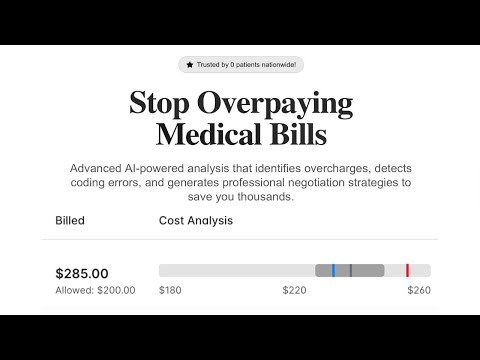
Project Summary: Medical Bill Audit System "Clara Medical" consists of two main applications designed to help users analyze and negotiate medical bills using AI technology. It makes it easy for patients (and by extension insurance companies) to understand their medical bills and automatically (using an agent) dispute potential discrepancies and mischarges from a crowd-sourced typical cost associated with the procedures done. 🏗️ Architecture Overview Frontend UI (apps/ui/) - Next.js web application Voice Agent Backend (apps/voice-agent/) - Express.js API server 📱 Frontend Application (UI) Technology Stack: Next.js 15 with React 19 TypeScript for type safety Tailwind CSS for styling Radix UI components for accessible UI elements Lucide React for icons Sponsors technologies: OpenAI VAPI Key Features: Medical Bill Upload & Analysis: Users can upload medical bills for AI-powered analysis Bill History Management: Track all analyzed bills with filtering and search capabilities Negotiation Tools: Have an agent write and send emails on your behalf and even call (using VAPI) the medical provider’s billing team. Results Dashboard: View analysis results, cost breakdowns, and savings calculations Modern UI: Clean, professional interface with responsive design Methodology: Has a simple page where a patient can upload a file or dump text of an itemized receipt from a doctors office, this data will be sent to a very simple backend Backend processing utilizes ChatGPT and Phenoml, which can extract the exact line items, finding the related medical codes, matching them to a database with common procedure costs (within high and low ranges, think google flights where it shows "this flight is lower than usual" on a simple color coded progress bar), insurance utilization (how much does my insurance provide for this code, and how much did the office charge, this would be overlaid with the procedure costs progress bar). this data will be returned to the frontend in a table for analysis. If relevant, certain line items may be flagged — is the line item overcharged and should be negotiated. We will also flag if a code was incorrectly assigned to a particular line item, and what that ideal code should be. GitHub: https://github.com/rak3rman/audit

Harmonia
What it does Harmonia is the first MCP-native AI Music Agent — a one-stop companion for music creation, personalized listening, and agentic tasks. Users can voice-trigger song ideas, remix tracks via provider-agnostic tools, generate covers with BytePlus, enjoy a TikTok-style feed personalized by Qdrant, and get notes/emails or concert reminders through Composio integrations. How we built it We combined Morph LLM for reasoning/planning, Qdrant for personalization memory, Composio for Gmail/Calendar, and BytePlus for image generation. MCP glues these tools together into a flexible agentic workflow. Challenges Integrating multiple sponsor APIs, aligning MCP schemas, handling Gmail OAuth, and stitching a smooth demo under time pressure. Accomplishments Delivered an end-to-end agent demo (create → listen → chat → tasks). First hackathon version with real tool orchestration. What we learned How to design MCP schemas, chain tools into workflows, and balance UX with technical limits. What’s next Expand creator monetization, refine personalization loops, and integrate more MCP tools for a truly AI-native music ecosystem.
MediMentor
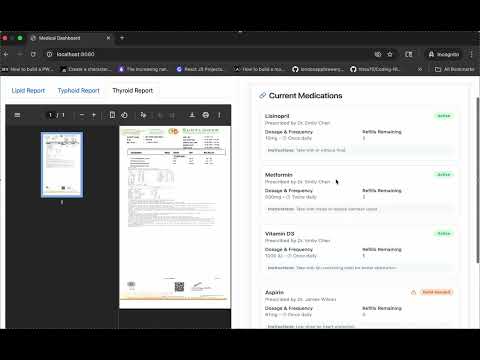
Inspiration "Health is wealth" — a phrase we’ve all heard, yet the true weight of it only struck us when we lost loved ones during the pandemic and to other health conditions. In those difficult moments, the biggest frustration wasn’t just the loss — it was not knowing why. Not understanding the cause, the condition, or what could have been done differently. This pain, this confusion, and this helplessness became personal to us. And from that place, the idea for MEDIMENTOR was born. What it does We built an AI-powered engine designed to bridge the gap between complex medical information and everyday understanding. MEDIMENTOR takes ambiguous, technical lab results and transforms them into clear, easy-to-understand explanations. Use Case 1: Translating Lab Results into Plain Language Medical lab reports are often filled with complex, technical terms that can be difficult to interpret. MEDIMENTOR takes those ambiguous lab results and explains them in simple, easy-to-understand language — just like a friend would. We ensure that users not only know what their results mean but also understand how it might affect their health. Use Case 2: Recommending the Right Healthcare Provider Understanding your results is only the first step. MEDIMENTOR goes a step further by identifying the type of specialist or provider a user may need to consult based on their lab results. For example, if your HbA1c level is high, MEDIMENTOR will explain what that means and recommend consulting an endocrinologist, allowing you to directly schedule an appointment from the platform. This makes the journey from diagnosis to treatment faster, clearer, and more connected. How we built it The website frontend was made using HTML, CSS, Bootstrap and JS. The website backend was made using Java and Springboot. Gihub repo can be found on https://github.com/saloni0104/MediMentor We also used FHIR API from PhenoML mainly Design was done using Canva Overall, it was a great learning experience trying our hands on several new software and building the site from scratch during the weekend. Challenges we ran into Coming up with the idea was not the difficult part but navigating the execution was. Accomplishments that we're proud of We were able to successfully leverage PhenoML technologies and integrate them in our project. We are proud to have worked on a problem that impacts millions of lives in the field of healthcare everyday. Through this project, we stepped into the shoes of patients and understood the niche pain points that they have in understanding basic medical needs like understanding lab reports in common terminology and identifying the correct provider based on symptoms and emotions. What we learned We learnt to use PhenoML product and different APIs that PhenoML offers. We learnt to use Springboot and integration with PhenoML for our usecas What's next for MediMentor Improve Appointment discovery. Handwritten prescriptions converted into Printed readable format. Knowing the correct prescriptions for general and branded medicines.

VibeDebugger
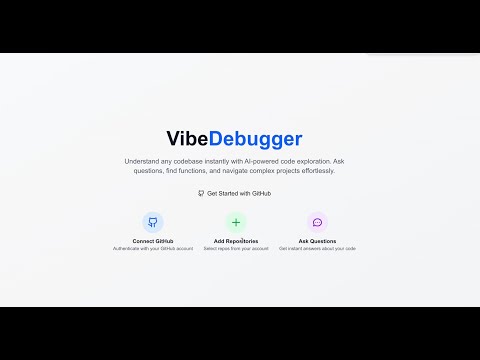
VibeDebugger 🚀 A powerful AI-powered codebase exploration and debugging tool that helps developers understand, analyze, and interact with their repositories through semantic search and intelligent chat assistance. ✨ Features 🔍 Semantic Code Search Vector-based similarity search using OpenAI embeddings Find code by meaning, not just keywords Precise file location and line number results Support for 30+ programming languages 🤖 AI-Powered Chat Assistant Context-aware conversations about your codebase Code explanation and debugging suggestions Architecture insights and refactoring recommendations Integrated with repository knowledge 🎤 Voice Assistant Integration VAPI-powered voice interactions Hands-free codebase exploration Voice-activated feature introductions Real-time conversation capabilities 📊 Repository Analytics Comprehensive repository analytics showing commit history, file changes, and contributor data visualization. The dashboard displays detailed insights into code activity patterns, contribution metrics, and repository evolution over time. AI-generated code detection analysis Commit timeline visualization with contributor insights Repository health and complexity metrics Interactive charts and statistics 🔄 Smart Repository Management GitHub OAuth integration Automated code indexing with progress tracking Support for both public and private repositories Optimized handling of large repositories (500+ files) 🎨 Modern UI/UX Clean, responsive dashboard interface Syntax highlighting for code blocks Clickable file paths with GitHub integration Real-time status updates and notifications 🛠️ Tech Stack Frontend Next.js 15.5 - React framework with App Router TypeScript - Type-safe development Tailwind CSS 4.0 - Utility-first styling Lucide React - Beautiful icons React Markdown - Rich text rendering Backend NextAuth.js 5.0 - Authentication with GitHub OAuth Prisma - Database ORM Neon DB - Serverless PostgreSQL database platform PostgreSQL - Primary database (via Neon DB) Qdrant - Vector database for semantic search AI & ML OpenAI GPT-4 - Chat completions and analysis OpenAI text-embedding-ada-002 - Text embeddings VAPI - Voice assistant integration Custom AI Detection - Code analysis algorithms Infrastructure Docker - Containerized services GitHub API - Repository data fetching Octokit - GitHub API client 🚀 Quick Start Prerequisites Node.js 18+ and npm Neon DB account (serverless PostgreSQL) Docker and Docker Compose (for Qdrant) GitHub OAuth App credentials OpenAI API key VAPI account (optional, for voice features) Installation Clone the repository git clone https://github.com/your-username/vibe-debugger.git cd vibe-debugger Install dependencies npm install Set up environment variables Create a .env.local file: # NextAuth.js NEXTAUTH_SECRET=your-secret-key NEXTAUTH_URL=http://localhost:3000 # GitHub OAuth GITHUB_CLIENT_ID=your-github-client-id GITHUB_CLIENT_SECRET=your-github-client-secret # Database (Neon DB Connection String) DATABASE_URL=postgresql://username:password@ep-example-123.us-east-1.aws.neon.tech/vibe_debugger?sslmode=require # OpenAI OPENAI_API_KEY=sk-your-openai-api-key # Qdrant Vector Database QDRANT_URL=http://localhost:6333 # VAPI Voice Assistant (optional) NEXT_PUBLIC_VAPI_PUBLIC_KEY=your-vapi-public-key 4. **Start Qdrant with Docker**  *Qdrant vector database running successfully on Docker, showing the container status, port mapping, and storage configuration. This setup provides the vector search capabilities essential for semantic code search.* ```bash docker run -p 6333:6333 -v $(pwd)/qdrant_storage:/qdrant/storage qdrant/qdrant Set up the database # Deploy migrations to Neon DB npx prisma migrate deploy npx prisma generate Start the development server npm run dev Open your browser Navigate to http://localhost:3000 📖 Usage Guide Getting Started Sign in with GitHub - Authenticate using your GitHub account Add a Repository - Click "Add Repository" and enter a GitHub URL Index the Repository - Wait for the AI to process and index your code Start Exploring - Use chat or search to interact with your codebase Key Workflows 🔍 Semantic Search "Where is the user authentication logic?" "Find functions that handle file uploads" "Show me error handling patterns" 💬 AI Chat Examples "Explain how this authentication system works" "What are the main security vulnerabilities?" "How can I optimize the database queries?" "Suggest refactoring opportunities" 🎤 Voice Commands "Tell me about this repository" "What are the main features?" "How do I get started with development?" 🏗️ Architecture System Overview High-level system architecture showing the interaction between frontend components, backend services, and external APIs. The diagram illustrates how VibeDebugger integrates Next.js, PostgreSQL, Qdrant vector database, and various AI services. ┌─────────────────┐ ┌─────────────────┐ ┌─────────────────┐ │ Next.js App │◄──►│ PostgreSQL │ │ Qdrant │ │ (Frontend) │ │ (Metadata) │ │ (Embeddings) │ └─────────────────┘ └─────────────────┘ └─────────────────┘ │ │ │ ▼ ▼ ▼ ┌─────────────────┐ ┌─────────────────┐ ┌─────────────────┐ │ GitHub API │ │ OpenAI API │ │ VAPI Service │ │ (Repository) │ │ (Embeddings/Chat)│ │ (Voice) │ └─────────────────┘ └─────────────────┘ └─────────────────┘ Data Flow Detailed sequence diagram showing the complete workflow from repository indexing to AI-powered code search and chat interactions. This diagram demonstrates how user queries are processed through vector embeddings and semantic search to provide intelligent responses. Repository Ingestion: GitHub API → Code Parsing → Chunking Vector Generation: Code Chunks → OpenAI Embeddings → Qdrant Storage Semantic Search: Query → Embedding → Vector Search → Results AI Chat: Context + Query → GPT-4 → Response + Code References Key Components /src/lib/code-indexer-optimized.ts - Smart repository indexing /src/lib/ai-detector.ts - AI-generated code analysis /src/components/chat/ - Chat interface and message handling /src/components/voice-assistant/ - Voice interaction components /src/app/api/ - Backend API routes 🎯 AI Detection Features VibeDebugger includes advanced AI detection capabilities: Detection Methods Perplexity Analysis - Statistical language patterns Syntax Perfection Scoring - Code consistency metrics Comment Quality Assessment - Documentation patterns Structural Analysis - Code organization patterns Pattern Recognition - Common AI-generated signatures Accuracy Disclaimer Results are based on 2024 AI detection research and are probabilistic, not definitive. Use as guidance rather than absolute determination. 🔧 Configuration Environment Variables Variable Description Required Default NEXTAUTH_SECRET NextAuth.js encryption key ✅ - NEXTAUTH_URL Application base URL ✅ - GITHUB_CLIENT_ID GitHub OAuth app ID ✅ - GITHUB_CLIENT_SECRET GitHub OAuth app secret ✅ - DATABASE_URL Neon DB PostgreSQL connection string ✅ - OPENAI_API_KEY OpenAI API key ✅ - QDRANT_URL Qdrant vector database URL ✅ http://localhost:6333 NEXT_PUBLIC_VAPI_PUBLIC_KEY VAPI voice service key ❌ - GitHub OAuth Setup Go to GitHub → Settings → Developer settings → OAuth Apps Create a new OAuth App with: Homepage URL: http://localhost:3000 Authorization callback URL: http://localhost:3000/api/auth/callback/github Copy the Client ID and Client Secret to your .env.local OpenAI API Setup Visit OpenAI Platform Create an API key with access to: text-embedding-ada-002 model gpt-4 model (or gpt-3.5-turbo as fallback) Add the API key to your environment variables Neon DB Setup Neon DB dashboard showing database statistics, contributor data analytics, and performance metrics. The dashboard provides real-time insights into database usage, query performance, and contributor activity patterns. Create a Neon DB account Create a new project and database Copy the connection string from your Neon dashboard The connection string format: postgresql://username:password@ep-xxx-xxx.region.aws.neon.tech/database_name?sslmode=require Add the connection string to your .env.local as DATABASE_URL Neon DB Benefits: Serverless PostgreSQL with automatic scaling Built-in connection pooling Branch-based development workflows No database maintenance required 📊 Performance & Limits Repository Size Handling Small repos (< 100 files): Full indexing Medium repos (100-800 files): Smart filtering Large repos (> 800 files): Priority-based selection (500 files max) Rate Limiting GitHub API: 5,000 requests/hour (authenticated) OpenAI API: 3 requests/second for embeddings Batch Processing: 3 files per batch with 1s delays Storage Requirements Neon DB: ~1KB per repository metadata (serverless PostgreSQL) Qdrant: ~6KB per code chunk (1536-dimension vectors) Estimated: 50MB vector storage per 10,000 lines of code 🚀 Deployment Production Environment Database Setup bash # Deploy migrations to production Neon DB npx prisma migrate deploy Production Neon DB Configuration: Use production branch in Neon console Enable connection pooling for better performance Set up database branching for staging environments Configure automatic backups and point-in-time recovery Qdrant Deployment # Using Docker in production docker run -d --name qdrant-prod \ -p 6333:6333 \ -v /path/to/storage:/qdrant/storage \ qdrant/qdrant Build and Start npm run build npm start Docker Deployment # Dockerfile example FROM node:18-alpine WORKDIR /app COPY package*.json ./ RUN npm ci --only=production COPY . . RUN npm run build EXPOSE 3000 CMD ["npm", "start"] 🧪 Testing Run Tests # Run all tests npm test # Run with coverage npm run test:coverage # Run specific test file npm test -- --testPathPattern=ai-detector Manual Testing Checklist [ ] GitHub OAuth authentication [ ] Repository addition and indexing [ ] Semantic search functionality [ ] AI chat responses [ ] Voice assistant (if enabled) [ ] Repository deletion [ ] Error handling and recovery 🤝 Contributing We welcome contributions! Please see our Contributing Guide for details. Development Workflow Fork the repository Create a feature branch (git checkout -b feature/amazing-feature) Make your changes Run tests (npm test) Commit your changes (git commit -m 'Add amazing feature') Push to the branch (git push origin feature/amazing-feature) Open a Pull Request Code Style TypeScript: Strict type checking enabled ESLint: Extended Next.js configuration Prettier: Automated code formatting Conventional Commits: Standardized commit messages 📝 API Reference Repository Management POST /api/repositories - Add new repository GET /api/repositories - List user repositories POST /api/repositories/[id]/index - Start indexing POST /api/repositories/[id]/cancel-index - Cancel indexing DELETE /api/repositories/[id]/delete - Delete repository Search & Chat POST /api/search - Semantic code search POST /api/chat - AI chat completions GET /api/repositories/[id]/commits - Repository commits 🐛 Troubleshooting Common Issues 1. "Qdrant connection failed" # Check if Qdrant is running docker ps | grep qdrant # Start Qdrant if not running docker run -p 6333:6333 qdrant/qdrant 2. "OpenAI API rate limit exceeded" Check your OpenAI account usage and billing Reduce batch sizes in indexing configuration Implement request queuing for large repositories 3. "GitHub OAuth callback error" Verify callback URL matches OAuth app configuration Check NEXTAUTH_URL environment variable Ensure GitHub OAuth app is active 4. "Database migration failed" # For development (local database reset) npx prisma migrate reset npx prisma migrate dev # For production (Neon DB) npx prisma migrate deploy 5. "Neon DB connection issues" Verify your connection string includes ?sslmode=require Check if your Neon project is active (not suspended) Ensure your IP is whitelisted if using IP restrictions Try connecting directly from Neon console to test connectivity Debug Mode Enable detailed logging: NODE_ENV=development DEBUG=true 📄 License This project is licensed under the MIT License - see the LICENSE file for details. 🙏 Acknowledgments OpenAI for GPT-4 and embedding models Qdrant for vector database technology GitHub for repository API and OAuth VAPI for voice assistant capabilities Vercel for Next.js framework and hosting platform 📧 Support Documentation: GitHub Wiki Issues: GitHub Issues Discussions: GitHub Discussions Email: support@vibedebuger.com Built with ❤️ by developers, for developers Making code exploration intelligent and intuitive

Medivice
Inspiration The medical industry still relies heavily on legacy systems that often slow down processes for both patients and doctors. We saw an opportunity to modernize patient intake by reducing repetitive tasks and freeing up doctors’ time. Our idea began with figuring out how we could save time for doctors. We realized one of the ways we can do this is by automating the collection of preliminary patient information such as personal details, symptoms, and the reason for their visit. What it does Medivice allows patients to call an AI assistant that will gather important patient intake information and record the data. Then the application provides a dashboard for doctors to utilize and view updates from patients about their most urgent issues, symptoms, and conditions, and how they could be addressed. How we built it We used OpenAI, Vapi, Phenoml, Deepgram, and FastAPI for the backend, and NextJS for the frontend patient information dashboard. Challenges we ran into Integrating with Vapi and other APIs Debugging null errors and handling edge cases with AI Balancing speed of development with system reliability Accomplishments that we're proud of Building a working prototype in just a few hours Creating a functional pipeline from patient call → AI intake → doctor dashboard Demonstrating how AI can meaningfully save doctors time What we learned AI has enormous potential in healthcare and is very cool, but humans are still necessary. There's a lot that AI can do and it's pretty cool. Building Medivice made us realize that the future lies in continued collaboration between AI and humans. What's next for Medivice Enhancing patient intake with more structured and customizable forms Expanding voice-based intake for smoother patient experiences Adding data export options for integration with other EHR systems

Quorix
Checkout the ReadMe for technical details Problem: Leaders report >10% denial rates are common; missing/inaccurate data and prior auth drive preventable denials. Claim denial rates vary 1%–54% by insurer. Doctors DON’T like spending their time optimizing claims for payouts. Existing Solutions: Scribes document appointments, can’t create codes and claims. EHR auto-coding is generic and not specific enough for many insurance providers RCM platforms catch basics, yet initial denials still hover ~11–12% — payer-specific nuances slip through. Quorix An application that extracts ICD‑10 from notes, asks targeted clarifiers (laterality, specificity, sequencing), and validates against payer‑specific rules (Anthem, UnitedHealthcare, etc.) before submission — turning ambiguous documentation into payer‑aligned, first‑pass clean claims. Market Potential: RCM market hundreds of billions and growing at double‑digit CAGR — budget exists for denial prevention. Medical coding market >$14B with ~10% CAGR — sustained demand for accurate ICD capture. AI in RCM projected multi‑x growth (20B→180B decade) — strong tailwinds for real‑time coding intelligence. Future Vision Scale payer logic nationwide; close the 11–19% denial gap with real‑time, payer‑specific clarification. Reduce preventable denials, slash appeals, return time to patients. Migrate to Chrome Extension for EHR compatibility

OpsPilot
🚀 OpsPilot - Zero Configuration Deployment Revolution What it does OpsPilot reimagines DevOps by removing configuration overhead entirely. With zero manual setup, it automatically discovers your repositories, configures optimized deployment pipelines, and provides live infrastructure intelligence powered by AWS and Terraform. From repository sync to real-time monitoring, OpsPilot is a one-click path from commit → deploy → observe. The Problem We're Solving Modern development teams waste weeks setting up CI/CD pipelines, configuring environments, and wiring up monitoring tools. Existing solutions are fragmented, fragile, and often require steep learning curves. Developers lose focus on shipping features because infrastructure setup constantly slows them down. Our Solution OpsPilot delivers a fully integrated zero-config DevOps platform with three core pillars: 🎯 Intelligent Repository Discovery Connect your GitHub account and OpsPilot instantly indexes your repositories. It evaluates deployment readiness, analyzes infrastructure-as-code, and configures deployment strategies automatically. 📊 Live Infrastructure Intelligence OpsPilot provides a Terraform-powered analytics dashboard with cost insights, compliance monitoring, and system health checks. Leveraging AWS CloudWatch and CloudTrail, developers see threats, costs, and performance trends in real time. ⚡ Zero-Config Deployment Pipeline With one click, OpsPilot provisions infrastructure with Terraform and deploys applications onto AWS. Our AI-powered detection engine identifies the tech stack (Node, Python, containers, etc.) and generates a tailored deployment workflow without manual configuration. Technical Architecture Frontend: Next.js 14 with TypeScript for a responsive, modern dashboard with dark mode Authentication: GitHub OAuth via NextAuth for secure onboarding Deployment Engine: Terraform for infrastructure provisioning and AWS ECS + Lambda for scalable application orchestration Monitoring Stack: AWS CloudWatch metrics with integrated alerting pipeline Smart Search: AI-assisted repository indexing with real-time filtering Key Metrics Dashboard OpsPilot makes DevOps visible and actionable with: Deployment Success Rate: Real-time metrics with historical trend analysis Performance Monitoring: Average build and deploy times across repositories Repository Insights: Automatic discovery, health scoring, and security signals The Vision We are building a future where infrastructure complexity disappears: Developers deploy production-ready apps in minutes instead of weeks Monitoring dashboards require zero setup and zero maintenance Security and compliance are embedded into every workflow automatically Market Opportunity The DevOps market is valued at over \$10B and growing at 25% annually. Yet most developers still struggle with deployment and monitoring complexity. OpsPilot solves this problem by providing a solution that is 10x simpler than traditional tools like Jenkins, GitHub Actions, or Terraform alone. What’s Next AI-Powered Optimizations: Automatic pipeline tuning based on workload patterns Multi-Cloud Abstraction: Deploy seamlessly across AWS, GCP, and Azure Team Collaboration Layer: Approval workflows and shared monitoring in real time OpsPilot is not just another DevOps tool. It is the end of DevOps complexity.
Listen to Her
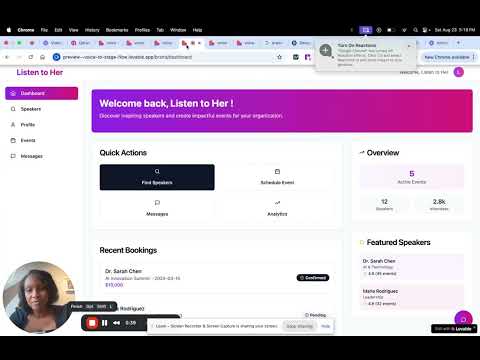
Inspiration Enterprise event programming is still stuck in the past—slow, manual, and biased. Booking the right speaker can take weeks, with no guarantees of fit or impact. Listen to Her started with one insight: companies aren’t just looking for speakers—they’re looking for outcomes. We saw a way to use AI to connect world-class women speakers to enterprises based on tone, topic, and business goals—not just keywords or clout. What it does Listen to Her is an AI-powered speaker matching platform. Enterprise teams input a short event brief—audience, tone, topics, and desired outcomes. Our platform generates a semantic embedding, queries Qdrant, and returns speakers ranked by strategic fit. One-click booking, post-event feedback, and performance analytics close the loop. Speakers also get prep tools and insights to help them win more gigs. How we built it OpenAI for text embedding of speaker bios and event briefs Qdrant to store and search speaker vectors based on semantic similarity Lovable for building a fast, functional frontend and booking flow A lightweight backend (Python + FastAPI) to handle embedding logic and API calls We also preloaded the system with speaker data, sample clips, and enterprise mock briefs to simulate a real-world demo experience. Challenges we ran into Speaker data quality: Curating realistic speaker bios and tones for meaningful matches Latency in embedding + vector search: Making OpenAI and Qdrant feel seamless in a real-time UX Low-code integration: Lovable is powerful, but required creative workarounds for dynamic search and result rendering Accomplishments that we're proud of We built a working, searchable, AI-driven speaker marketplace in under 48 hours Our matching system isn't just functional—it’s explainable and business-aligned We shifted the DEI conversation from optics to outcomes, giving companies a practical tool instead of a checkbox What we learned Vector search and AI matching have massive untapped potential for B2B marketplaces Buyers care about efficiency and alignment, not buzzwords Real product thinking isn’t about building features—it’s about removing friction and delivering results users can measure What's next for Listen to Her Onboard 500 vetted speakers and 20 pilot enterprise clients Expand speaker tooling: real-time coaching, talk analytics, and feedback loops Integrate payments, contracts, and scheduling into the booking flow Raise a pre-seed round to scale engineering and lock in enterprise sales
simul8r.ai
simul8r.ai: Democratizing End-to-End Testing Through AI Inspiration Working in corporate engineering environments, we consistently witnessed the same frustrating bottleneck: QA teams couldn't keep pace with development velocity. While engineering teams shipped code at lightning speed, testing remained manual, technical, and slow. We saw brilliant product managers who could articulate perfect test scenarios but lacked the coding skills to implement them. Partner service teams spent hours manually verifying integrations. Customer success teams identified critical user journey issues but couldn't translate them into automated tests. The inspiration hit us: testing is fundamentally about simulating human behavior. If we could remove the technical barriers through natural language, we could democratize testing across entire organizations. What it does simul8r.ai transforms anyone into a testing expert through plain English. Users simply describe a user persona and link their GitHub repository, and our platform generates synthetic AI agents that interact with their UI like real users. Key capabilities: Natural language test creation: "As a premium user, verify checkout flow with saved payment methods" Synthetic user simulation: AI agents that think and behave like actual users Flexible testing frequency: From continuous monitoring to scheduled regression suites Cross-role accessibility: Product managers, partner service teams, and QA engineers can all create tests GitHub integration: Automatic triggering on code commits How we built it Our architecture combines Large Language Models (LLMs) with browser automation: Technology Stack: Frontend: Nextjs-based dashboard for test creation and monitoring Backend: Python FastAPI microservices architecture AI Engine: Custom configurable Langgraph powered by OpenAI, Anthropic, XAI, GoogleGenAI Browser Automation: Headless Chrome with custom interaction protocols Integration: GitHub webhooks and REST APIs for CI/CD pipeline integration Key Innovation: We developed synthetic user personas that maintain realistic session state, handle dynamic content loading, and adapt to different UI frameworks automatically. Challenges we ran into Technical Hurdles: Dynamic Content Recognition: Modern SPAs with lazy loading required sophisticated timing algorithms to determine when pages were truly interactive Cross-Browser Compatibility: Different rendering engines and JavaScript frameworks needed robust abstraction layers State Management: Maintaining realistic user sessions across complex application flows proved more challenging than anticipated LLM Context Optimization: We implemented a novel preprocessing algorithm to extract the most informative parts of the HTML body of the page that the agent is interacting with. Organizational Barriers: Trust Building: Convincing teams that AI could reliably simulate human behavior required extensive validation and transparent reporting Integration Complexity: Corporate CI/CD pipelines are intricate; seamless integration without workflow disruption was critical Scaling Challenges: Handling multiple concurrent test executions while maintaining performance standards Accomplishments that we're proud of Democratized Testing: Non-technical team members now create comprehensive test suites in plain English 10x Speed Improvement: Teams report testing cycles that previously took days now complete in hours Cross-Team Adoption: Product managers, partner service teams, and QA engineers all actively use the platform Zero Learning Curve: Users create their first working test within 5 minutes of onboarding Enterprise Integration: Successfully deployed in corporate environments with complex security requirements What we learned Testing is a Communication Problem, Not Just a Technical One: The biggest barrier wasn't building better testing tools—it was making testing accessible to everyone who understands user behavior. AI Agents Need Personality: Generic automation fails. Our synthetic users needed realistic decision-making patterns, hesitation behaviors, and error-prone interactions to truly simulate humans. Organizational Impact Exceeds Technical Innovation: While our NLP and browser automation were impressive, the real value came from transforming how teams collaborate around quality assurance. Frequency Matters More Than Perfection: Teams preferred running imperfect tests continuously over perfect tests occasionally. What's next for simul8r.ai Advanced AI Capabilities: Visual Testing: AI agents that can identify UI inconsistencies and accessibility issues Performance Monitoring: Synthetic users that measure and report application performance metrics Multi-Platform Support: Expanding beyond web applications to mobile and desktop testing Enterprise Features: Team Analytics: Insights into testing coverage, team productivity, and quality trends Advanced Integrations: Slack, Jira, and other workflow tool connections Compliance Reporting: Automated documentation for SOX, HIPAA, and other regulatory requirements Market Expansion: Open Source Components: Contributing core testing utilities back to the community Partner Ecosystem: Integrations with major testing frameworks and CI/CD platforms Global Scaling: Multi-region deployment for international enterprise customers Our vision: Every team member should be empowered to ensure quality, regardless of their technical background. simul8r.ai is just the beginning of democratizing software quality assurance. We have a SECRET authentication page route. Ask us if you're curious :-)